Your apps stay locked until you journal.
Journal Lock is the app blocker with a twist: it locks Instagram, TikTok, and whatever else eats your day, then hands back the key only after you write. Stop doomscrolling. Start a journaling habit you'll actually keep.

How it works
A small daily trade: one entry for your screen time.
No guilt, no lectures, no cold-turkey deletes. Journal Lock turns the urge to grab your phone into a moment to check in with yourself.
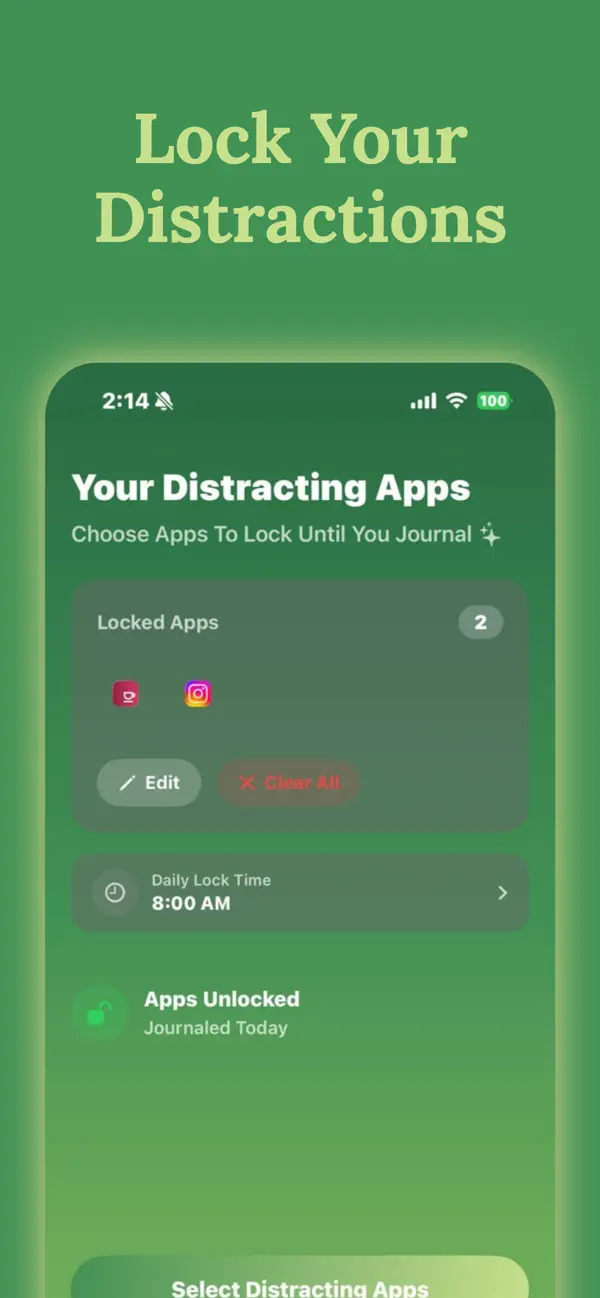
Lock your distractions
Pick the apps that pull you in: social media, video, games. They lock automatically at the daily time you choose, using Apple's Screen Time framework.
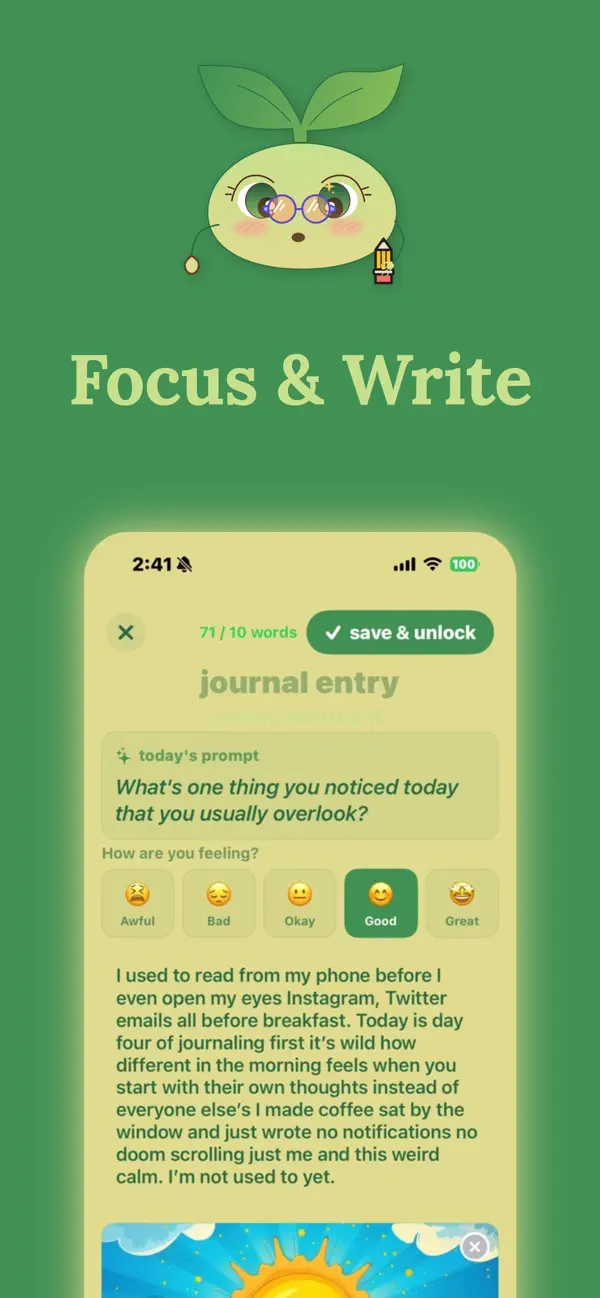
Write to earn the key
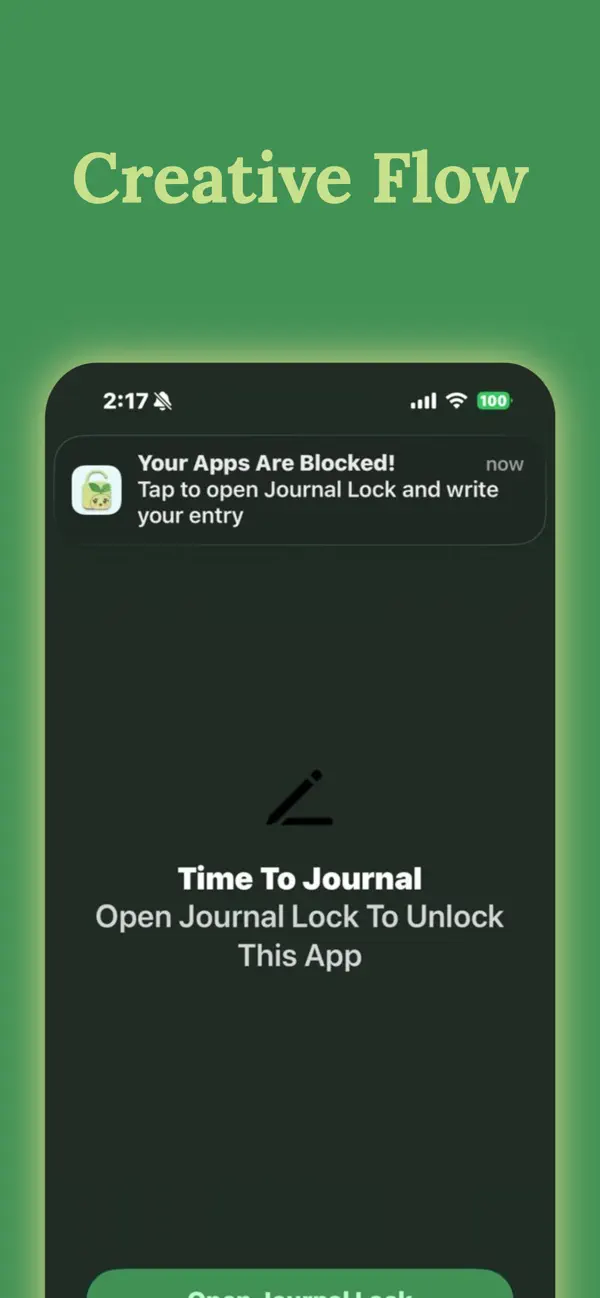
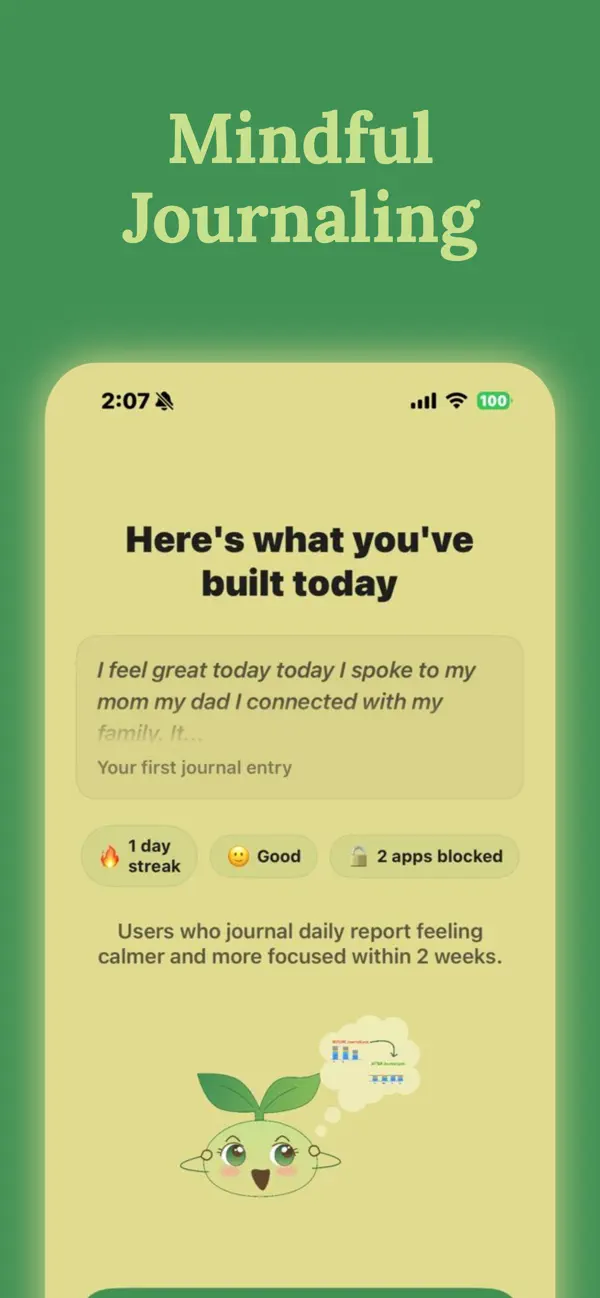
Open a locked app and you'll be asked to journal first. A guided prompt, a mood check-in, and as little as ten words is all it takes.
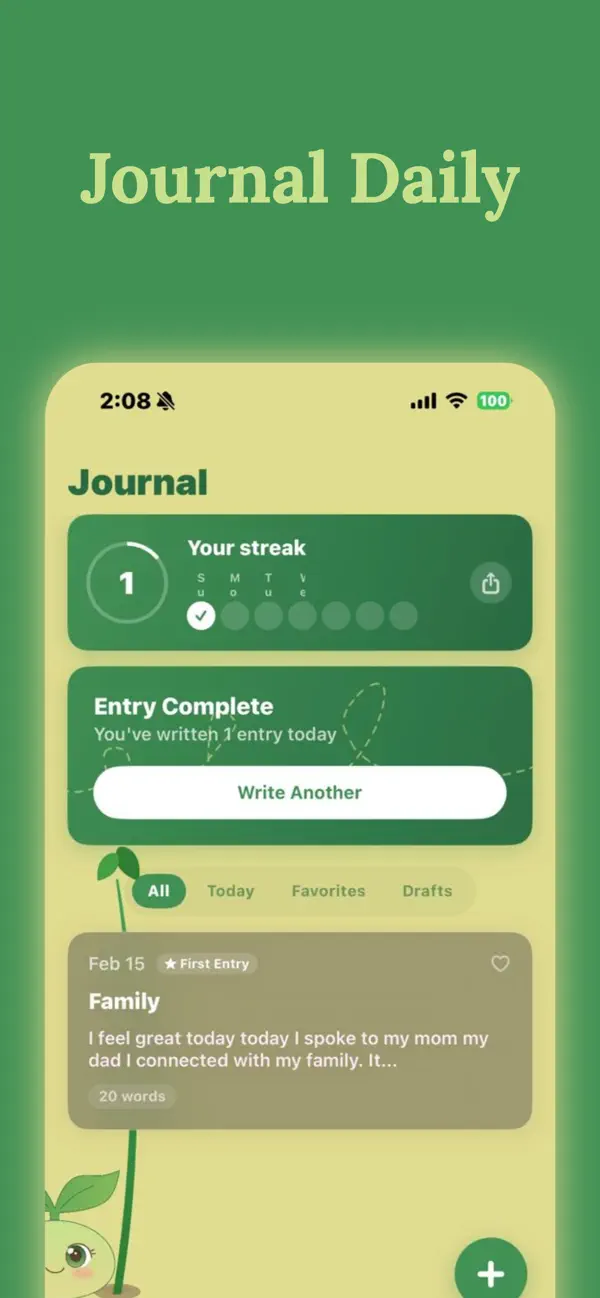
Apps unlock, streak grows
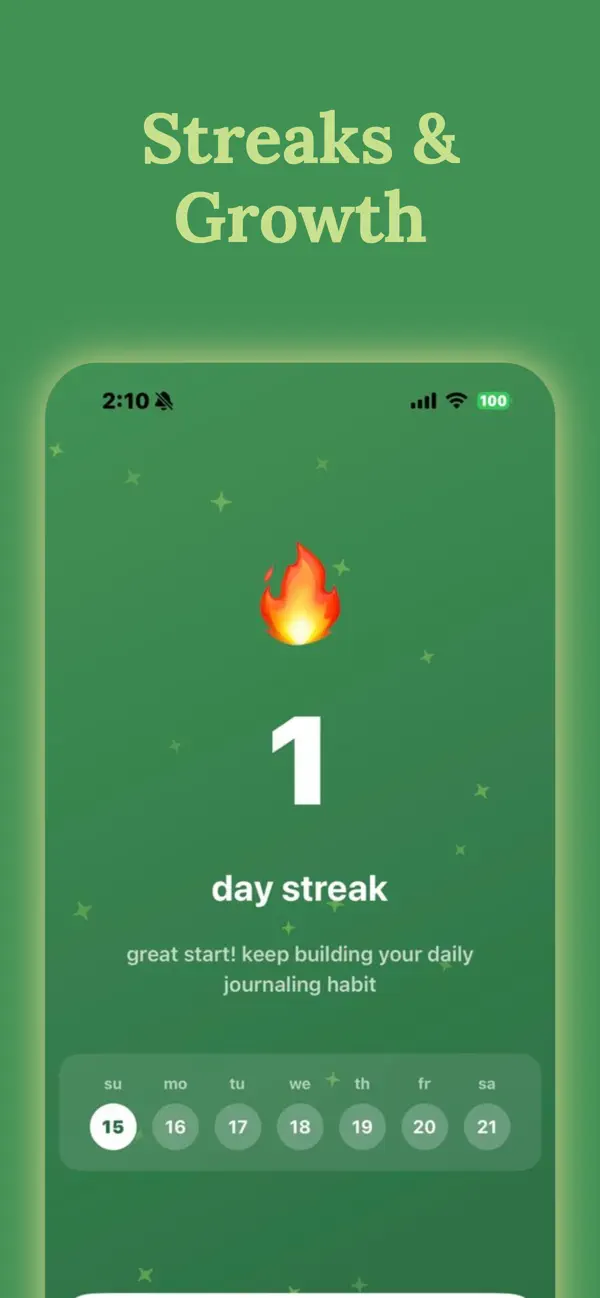
Finish your entry and every app unlocks until tomorrow. Your streak climbs, your mascot levels up, and the doomscrolling quietly fades.
Screenshots
A journal on one side. An app blocker on the other.
Everything in Journal Lock exists to make the daily trade effortless, and a little bit delightful.
Why it sticks
Built for people who want their attention back.
Real app blocking
Powered by Apple's Screen Time: locked apps genuinely won't open until you've written. No honor-system willpower required.
Streaks that motivate
Daily streak tracking with milestone celebrations. A week of entries becomes a month before you notice.
A mascot that grows with you
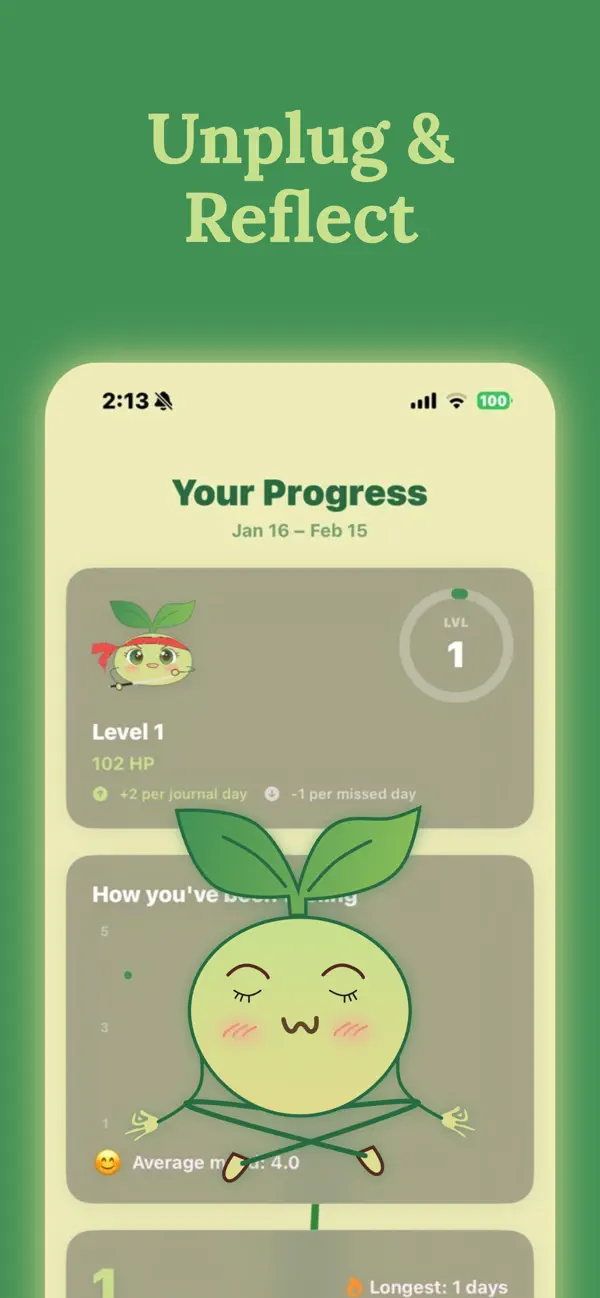
Journal daily and your sprout companion thrives and levels up. Miss a day and it starts to shrink. Weirdly effective.
Prompts that evolve
Personalized daily journal prompts and mood check-ins, so you're never staring at a blank page at 7 a.m.
Private, local, yours
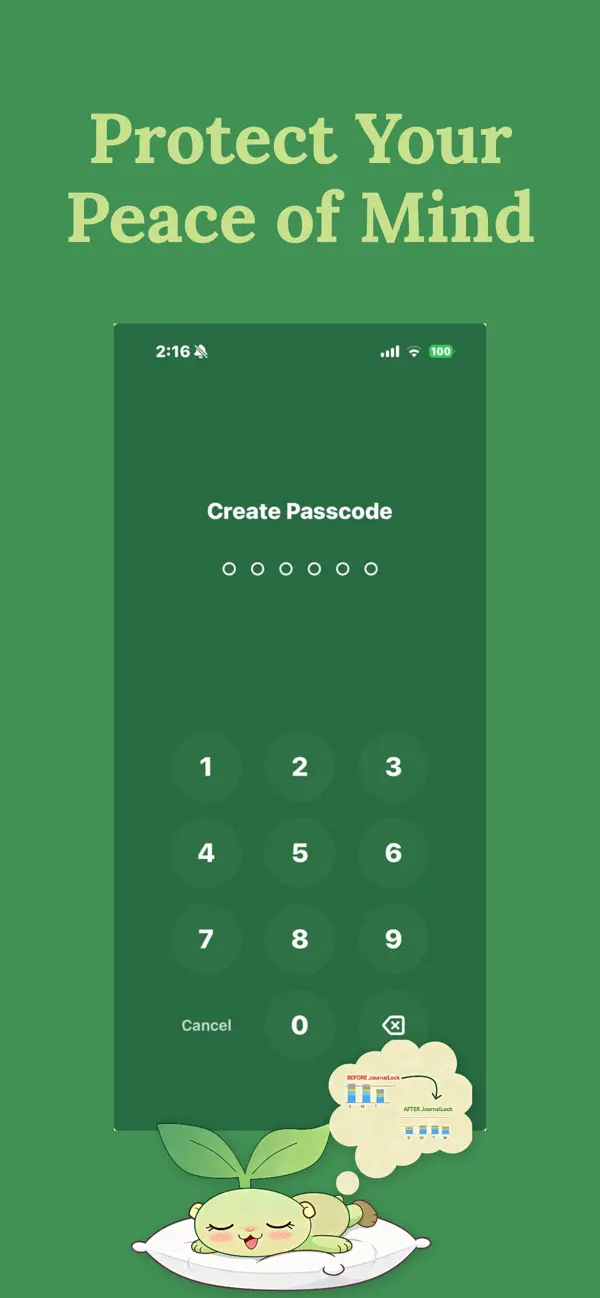
Entries live on your device. No cloud, no accounts, no ads. Add a passcode so the journal itself stays locked too.
Mood over time
Every entry logs how you feel. Watch your average mood climb as the doomscrolling fades, plus a home screen widget.
Guides
Take your attention back, one guide at a time.
Practical, research-backed guides on beating doomscrolling, blocking distractions, and building a journaling habit, written by the team behind Journal Lock.
How to Stop Doomscrolling (Even at 1 A.M.)
Why your brain gets stuck in the scroll, and the step-by-step routine that breaks the loop for good.
Read the guide →The Best Apps to Stop Scrolling in 2026
An honest comparison of blockers, friction tools, and write-to-unlock apps, and which one fits your habit.
Read the guide →An App That Blocks Reels and Shorts
Short-form video is engineered to trap you. Here's how to lock it behind a two-minute journal entry.
Read the guide →How to Block Apps Until a Certain Time on iPhone
Screen Time, Focus modes, and Journal Lock's daily lock time: every method, step by step.
Read the guide →The App Blocker for Studying That Makes You Think First
Block TikTok and Instagram during study sessions, and use a journal entry to plan the work.
Read the guide →Feeling Addicted to Your Phone? Start Here.
The signs of problem phone use, what actually helps, and how a phone addiction app fits in.
Read the guide →The Digital Detox App That Doesn't Ask You to Disappear
Skip the 30-day monk mode. A sustainable daily detox that trades one journal entry for your apps.
Read the guide →The Locked Journal App for Truly Private Writing
Passcode-protected, stored on your device, no cloud. What a private journal should look like in 2026.
Read the guide →How to Journal Daily (and Actually Keep the Habit)
Why journaling habits fail, the 10-word rule that fixes them, and how streaks rewire the routine.
Read the guide →Journaling for Anxiety: What the Science Says
Affect labeling, expressive writing, and prompts that calm an overthinking brain, backed by research.
Read the guide →Journal Prompts: 35 Prompts for Every Mood
Real prompts for self-reflection, beginners, anxiety, self-discovery, and mental health. Copy-paste ready.
Read the guide →The Best Journaling Apps in 2026, Compared
Day One, Apple Journal, Reflectly, Journey, and Journal Lock: an honest comparison.
Read the guide →FAQ
Questions, answered.
How does Journal Lock block apps until I journal?
Journal Lock uses Apple's Screen Time framework to lock the apps you choose at a daily time you set. Open a locked app and you'll see a shield asking you to write first. Finish a short entry (as little as ten words) and every locked app unlocks until your next lock time. Learn more →
Is Journal Lock a good app to stop doomscrolling?
Yes, that's exactly what it's for. Instead of just blocking feeds, Journal Lock replaces the scroll urge with a two-minute journaling ritual that breaks the autopilot loop. You still get your apps back every day; you just check in with yourself first. Learn more →
Can it block Instagram Reels, TikTok, and YouTube Shorts?
Journal Lock can lock any app on your iPhone: Instagram, TikTok, YouTube, games, anything. Short-form video apps are the most common thing our users lock. Learn more →
Is my journal private? Can I put a passcode on it?
Every entry is stored locally on your device: no cloud uploads, no accounts, no data mining, no ads. You can also set a separate passcode so the journal itself stays locked from anyone who picks up your phone. Learn more →
Does journaling actually help with anxiety and focus?
Research on "affect labeling" shows that putting feelings into words measurably calms the brain's stress response. Consistent journaling is linked to reduced anxiety, better focus, and stronger emotional resilience. Journal Lock's job is making sure you actually do it. Learn more →
Is Journal Lock free?
Journal Lock is free to download and use. Journal Lock Pro is an optional subscription ($5.99/week or $79.99/year with a 3-day free trial) for unlimited entries, premium themes, and advanced features. Learn more →
How do streaks and the mascot work?
Every day you journal extends your streak and feeds your sprout mascot, which gains health and levels up. Miss a day and it starts to shrink. It's a small thing, but it makes the habit stick. Learn more →
Can I use it as an app blocker for studying?
Absolutely. Set your lock time before your study block and your distracting apps stay locked until you've journaled; many students use the entry itself to plan the session. Learn more →
Start writing. Stop scrolling.
One small daily trade that adds up: a few honest lines, and your attention back. Free on the App Store.